



As our recent communications survey indicated that a number of our readers are viewing this magazine on their phones and finding it difficult to read the small font, we want to share a few tips to help you get the most out of the site.
While the magazine is still available in its traditional format, the easiest way to read Verandah View on a phone is through the individual article pages. The article format includes everything that appears in the magazine along with additional updates, announcements, and information that may be added between publication deadlines.
USING THE ARTICLE PAGES
Many readers prefer the article pages when using a phone. The layout is designed for mobile reading and makes it easy to move between stories. Each article has its own page which gives the information more space on a smaller screen.
Don’t be worried about missing out on anything. Everything that appears in the magazine is also available in the Articles section, along with additional content that may be posted during the month.
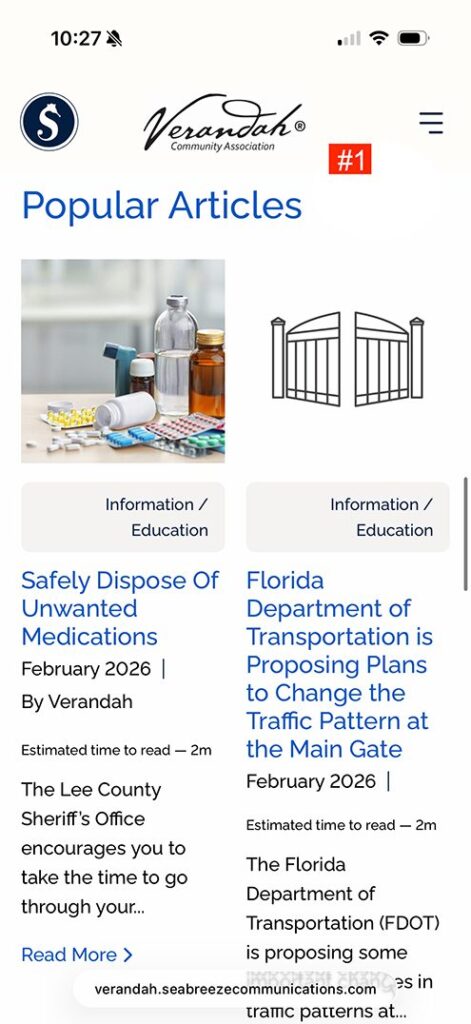
To access the Articles, scroll past the digital magazine on the homepage (see #1). You will see a list of articles with the title, author, and estimated reading time. After finishing an article, you can use your back button to return to the list or select another story from the related articles shown at the bottom of the page.
ADJUSTING THE FONT SIZE
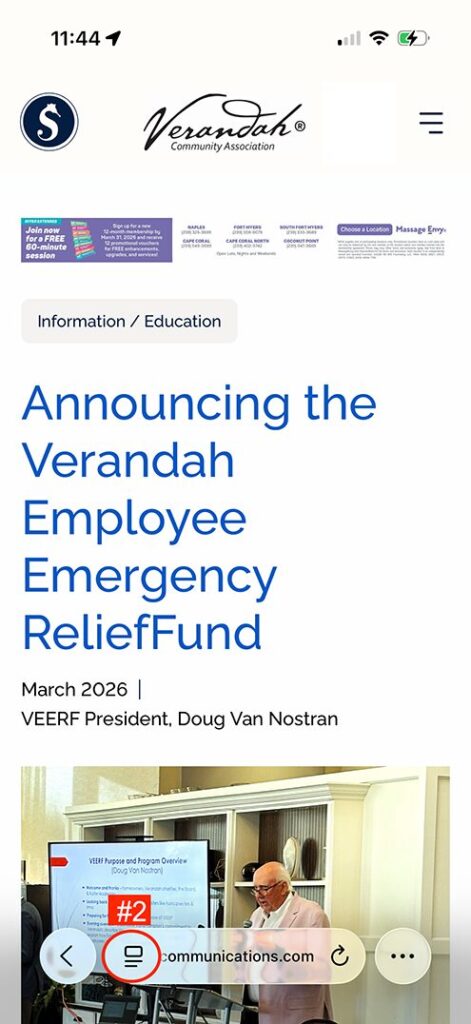
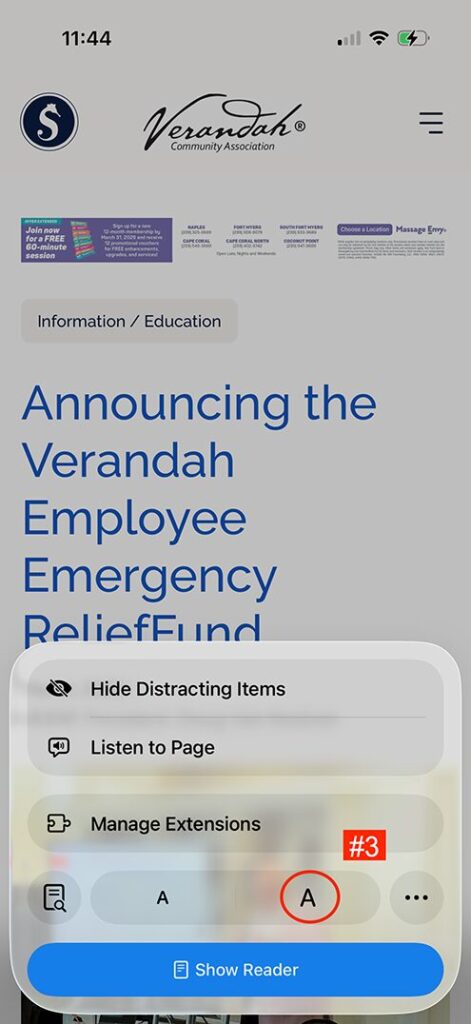
If the text appears smaller than you prefer while reading an article, you can increase the font size. Click the rectangle icon with two lines next to the website search bar (see #2). Then tap the larger “A” (see #3) until the text reaches a comfortable size.
READING THE FULL MAGAZINE ON YOUR PHONE
If you still want to read the full magazine, you can do so directly from the homepage. There are two ways to view it on your phone.
OPTION 1: VIEW IN FULL SCREEN
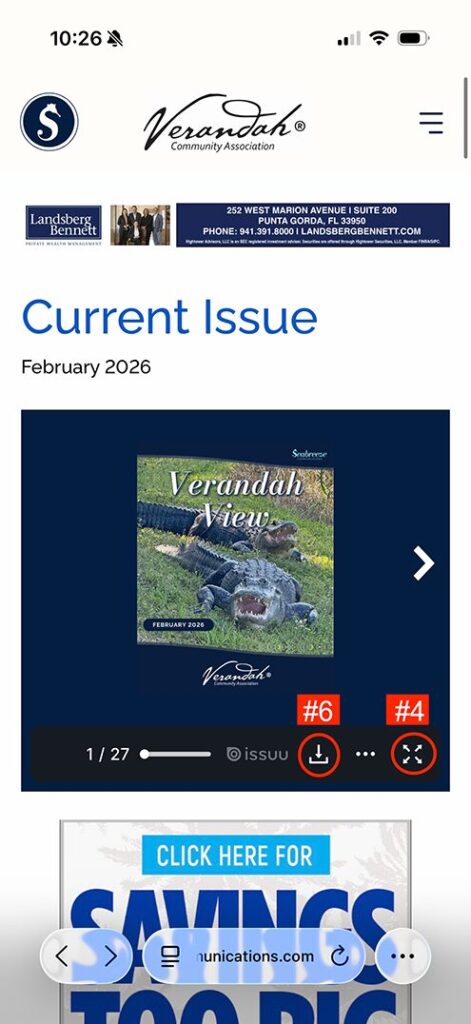
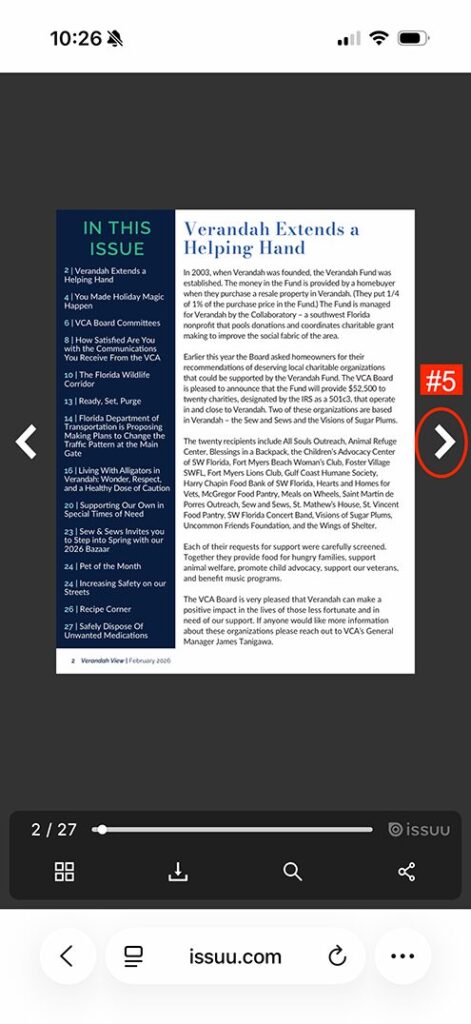
Tap the four arrows in the bottom right corner of the embedded magazine (see #4). This expands the magazine to full screen. If the text or images appear small, you can zoom in on the page. Use the arrows (see #5) to flip between pages.
OPTION 2: DOWNLOAD THE MAGAZINE
Tap the download link (see #6) to save the full magazine to your phone. This allows you to access it even when you do not have wireless service. In this format you will scroll vertically to move through the pages.
We hope this guide helps you enjoy reading The Verandah View on your phone or tablet.